Blog

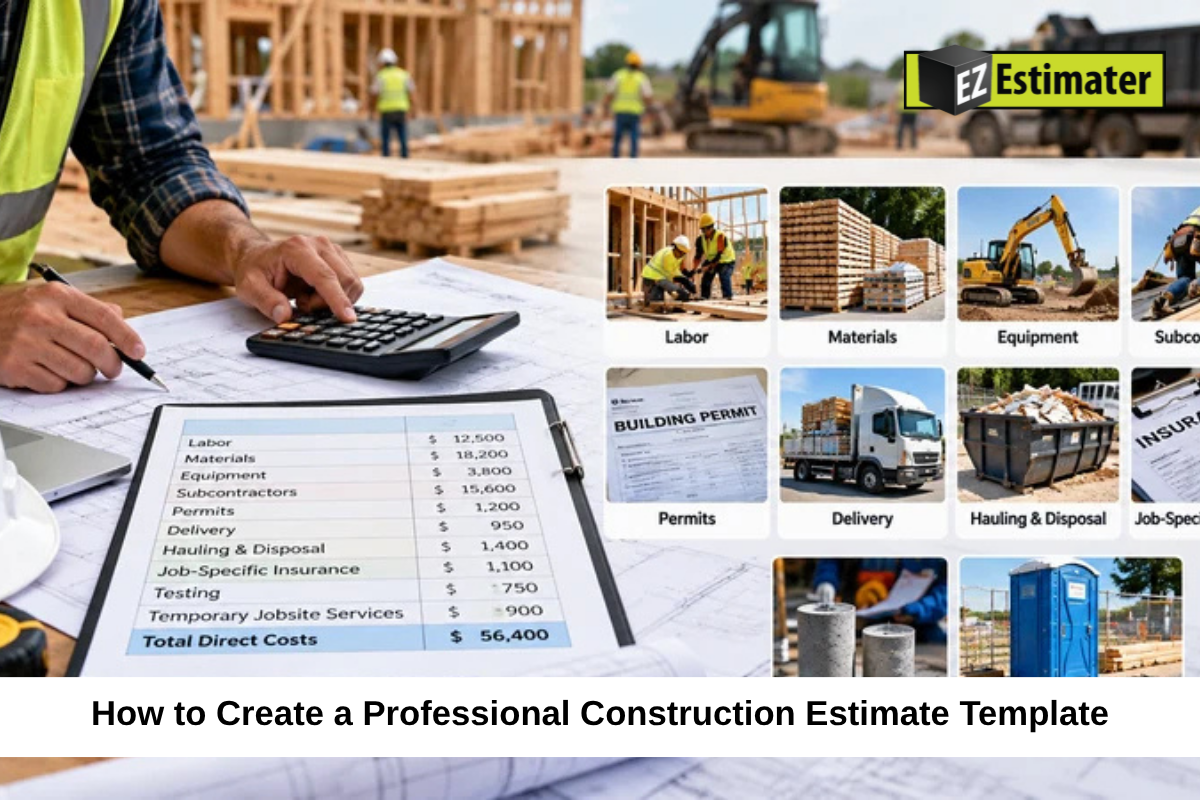
How to Create a Professional Construction Estimate Template

image

A professional construction estimate helps contractors explain project costs, set clear expectations, and plan work with confidence. A well-organized construction estimate template makes this process easier by giving every project a consistent format. It also helps reduce missed costs and confusion between contractors and clients.

Whether you handle small home repairs or large building projects, your estimate should show what the work includes, how much it will cost, and what the client can expect. Creating a useful template does not have to be difficult. You just need the right sections and a clear way to organize the details.

Key Takeaways

  • A construction estimate should explain the work, costs, and payment terms.
  • Separate materials, labor, equipment, and other expenses.
  • Use clear descriptions and accurate quantities.
  • Add formulas to reduce calculation mistakes.
  • Include project conditions, exclusions, and approval details.
  • Review and update your template as prices and business needs change.

Understand the Purpose of a Construction Estimate

A construction estimate shows the expected cost of completing a project. It gives clients a clear idea of the money needed before work begins. It also helps contractors plan their resources and decide whether a project fits their budget and business goals.

A good estimate should answer a few basic questions:

  • What work will be completed?
  • What materials and equipment are needed?
  • How much will labor cost?
  • What other expenses may apply?
  • What is the expected project price?
  • When and how will payments be made?

The template should make these details easy to find. Avoid using unclear terms or combining several costs into one line without explanation.

Add the Main Project and Client Details

Start your template with a clean header. This section identifies the contractor, client, and project. It also makes each estimate easier to track and find later.

Include these details:

  • Contractor or company name
  • Business address and contact information
  • Company logo, if available
  • Client name and contact details
  • Project name and location
  • Estimate number
  • Date the estimate was prepared
  • Estimate expiration date.

An estimate number is especially useful when you prepare several quotes for different clients. It helps you keep records organized and makes it easier to discuss changes to a specific estimate.

Write a Clear Description of the Project Work

The next section should explain what the contractor plans to do. Describe the project in simple language so the client understands what is included in the price.

For example, a home renovation estimate might include removing old cabinets, preparing the walls, installing new cabinets, and cleaning the work area.

For a larger construction job, you can divide the work into separate phases or trades, such as:

  • Site preparation
  • Foundation work
  • Framing
  • Roofing
  • Plumbing
  • Electrical work
  • Interior finishing

Add enough detail to prevent confusion. If the estimate only says “renovation work,” the client may not know which tasks are covered.

Create a Detailed Cost Breakdown

A detailed cost section is one of the most important parts of a construction estimate template. It shows how the final price is built and helps clients understand where their money will go.

Use separate sections for different types of expenses.

Materials and Supplies

List the materials needed for the job, including their quantities and unit prices. Include items such as concrete, lumber, paint, flooring, wiring, and other supplies.

A simple table can help organize the information:

MaterialQuantityUnit CostTotal
Cement bags50$8$400
Lumber100$5$500
Paint10 gallons$30$300
Total$1,200

These figures are examples only. Actual prices will depend on the project, supplier, and location.

Remember to account for delivery fees, material waste, and possible price changes when needed.

Labor Expenses

Labor costs cover the time workers spend completing the project. Your template should show the type of work, estimated hours, hourly rate, and total cost.

For example:

Work TypeHoursHourly RateTotal
Framing40$25$1,000
Painting20$20$400
Total$1,400

Also consider payroll taxes, insurance, and other labor-related expenses that apply to your business. These costs can affect the amount you need to charge.

Equipment and Subcontractor Costs

Some projects require rented equipment, special tools, or outside workers. Add separate lines for these expenses instead of hiding them inside material or labor costs.

Include equipment rental periods, delivery charges, and any fuel or operating costs that apply. For subcontractors, list the service, agreed price, and any important conditions.

This makes the estimate easier to review and helps prevent missing costs.

Include Overhead, Contingency, and Profit

The direct cost of building a project is not the only expense a contractor needs to cover. Your estimate should also account for business expenses and the profit needed to make the job worthwhile.

Add Business Overhead

Overhead includes costs that help your business operate but are not tied to one specific task. These may include office expenses, insurance, software, vehicle costs, and administrative wages.

Choose a fair method to assign a share of these expenses to each project. The method should fit your business and remain consistent across estimates.

Allow for Unexpected Costs

Some projects may involve hidden damage, difficult site access, weather delays, or other problems that are not clear at the start.

A contingency amount can help cover reasonable risks. The amount should reflect the project’s condition and level of uncertainty. Explain how it will be handled, and do not treat it as automatic permission to charge for unrelated work.

Calculate Your Profit

Profit is the amount left after project costs and the allocated overhead are covered. Decide on your pricing method before sending the estimate.

For example, if your total project cost is $10,000 and you apply a 20% markup, the price becomes $12,000.

Remember that markup and profit margin are different. A 20% markup on cost does not produce a 20% profit margin. Use the correct calculation so your final price supports your business goals.

Add Project Timeline and Payment Terms

A professional estimate should explain when the work is expected to happen and how the client will pay.

Include an estimated start date, expected completion date, and major project stages when they are known. Make it clear that the schedule may change if there are delays caused by weather, material supply, or approved project changes.

Your payment section should explain:

  • Deposit amount, if required
  • Payment stages or milestones
  • Final payment due date
  • Accepted payment methods
  • Late payment terms, if applicable

Clear payment terms help both sides understand their responsibilities before work begins.

Include Exclusions, Conditions, and Approval Details

Every estimate should explain what is not included in the quoted price. This is just as important as listing the included work.

For example, a renovation estimate may exclude new furniture, major electrical upgrades, or repairs to hidden damage discovered after demolition.

Also include conditions that may affect the price, such as changes to the project scope or unexpected site problems. Explain that extra work should be reviewed and approved before it begins.

At the end of the template, provide space for the client’s name, signature, and approval date. You can also include the contractor’s signature. This creates a written record that the estimate was reviewed and accepted.

Use Spreadsheet Formulas to Reduce Errors

A spreadsheet can make your construction estimate template easier to use. You can set up formulas to calculate totals automatically instead of adding every cost by hand.

Useful formulas include:

  • Line Total: Quantity × Unit Cost
  • Labor Total: Hours × Hourly Rate
  • Project Subtotal: Sum of all cost sections
  • Final Price: Subtotal + Applicable Overhead + Contingency + Profit

Check your formulas before using the template for a real project. Make sure taxes, discounts, and markup are applied correctly based on your pricing method and local requirements.

You can also use separate tabs for material prices, labor rates, subcontractor quotes, and completed estimates. This makes it easier to update information without rebuilding the whole document.

Review and Update Your Template Regularly

A template should support your estimating process, not limit it. Review it from time to time to make sure it still matches your business needs.

Update material prices, labor rates, equipment costs, and common project expenses. Check whether the sections are easy to understand and whether clients can quickly find the final price and payment terms.

It is also useful to compare estimated costs with actual project costs after each job. This helps you find areas where your estimates may be too high or too low. Over time, you can use this information to prepare better estimates for similar projects.

Final Thoughts

A professional construction estimate template gives contractors a clear way to present project costs and explain the work involved. It should include client details, scope of work, materials, labor, equipment, overhead, profit, payment terms, and project conditions.

Keep the layout simple, use accurate calculations, and review each estimate before sending it. A well-prepared document helps clients understand the price and gives your team a better starting point for planning the job.

Frequently Asked Questions

What should a construction estimate template include?

It should include contractor and client details, project information, scope of work, material costs, labor costs, equipment expenses, overhead, profit, payment terms, exclusions, and approval details.

Can I create a construction estimate template in Excel?

Yes. Excel and similar spreadsheet tools let you organize project costs and use formulas to calculate totals. You can also save a blank version and reuse it for future projects.

What is the difference between a construction estimate and a quote?

An estimate is usually a forecast of expected project costs. A quote generally provides a specific price for the described work and may be treated as a firmer offer, depending on its terms and local rules.

How often should I update my construction estimate template?

Review it whenever material prices, labor rates, or business costs change. It is also helpful to review it after completed projects to find areas where your calculations can improve.

Why should contractors itemize project costs?

Itemizing costs helps clients understand what they are paying for. It also helps contractors check their calculations, compare supplier prices, and spot expenses that may have been missed.

image

How to Create a Professional Construction Estimate Template

Construction Estimate Template

A professional construction estimate helps contractors explain project costs, set clear expectations, and plan work with confidence. A well-organized construction estimate template makes this process easier by giving every project a consistent format. It also helps reduce missed costs and confusion between contractors and clients.

Whether you handle small home repairs or large building projects, your estimate should show what the work includes, how much it will cost, and what the client can expect. Creating a useful template does not have to be difficult. You just need the right sections and a clear way to organize the details.

Key Takeaways

  • A construction estimate should explain the work, costs, and payment terms.
  • Separate materials, labor, equipment, and other expenses.
  • Use clear descriptions and accurate quantities.
  • Add formulas to reduce calculation mistakes.
  • Include project conditions, exclusions, and approval details.
  • Review and update your template as prices and business needs change.

Understand the Purpose of a Construction Estimate

A construction estimate shows the expected cost of completing a project. It gives clients a clear idea of the money needed before work begins. It also helps contractors plan their resources and decide whether a project fits their budget and business goals.

A good estimate should answer a few basic questions:

  • What work will be completed?
  • What materials and equipment are needed?
  • How much will labor cost?
  • What other expenses may apply?
  • What is the expected project price?
  • When and how will payments be made?

The template should make these details easy to find. Avoid using unclear terms or combining several costs into one line without explanation.

Add the Main Project and Client Details

Start your template with a clean header. This section identifies the contractor, client, and project. It also makes each estimate easier to track and find later.

Include these details:

  • Contractor or company name
  • Business address and contact information
  • Company logo, if available
  • Client name and contact details
  • Project name and location
  • Estimate number
  • Date the estimate was prepared
  • Estimate expiration date.

An estimate number is especially useful when you prepare several quotes for different clients. It helps you keep records organized and makes it easier to discuss changes to a specific estimate.

Write a Clear Description of the Project Work

The next section should explain what the contractor plans to do. Describe the project in simple language so the client understands what is included in the price.

For example, a home renovation estimate might include removing old cabinets, preparing the walls, installing new cabinets, and cleaning the work area.

For a larger construction job, you can divide the work into separate phases or trades, such as:

  • Site preparation
  • Foundation work
  • Framing
  • Roofing
  • Plumbing
  • Electrical work
  • Interior finishing

Add enough detail to prevent confusion. If the estimate only says “renovation work,” the client may not know which tasks are covered.

Create a Detailed Cost Breakdown

A detailed cost section is one of the most important parts of a construction estimate template. It shows how the final price is built and helps clients understand where their money will go.

Use separate sections for different types of expenses.

Materials and Supplies

List the materials needed for the job, including their quantities and unit prices. Include items such as concrete, lumber, paint, flooring, wiring, and other supplies.

A simple table can help organize the information:

MaterialQuantityUnit CostTotal
Cement bags50$8$400
Lumber100$5$500
Paint10 gallons$30$300
Total$1,200

These figures are examples only. Actual prices will depend on the project, supplier, and location.

Remember to account for delivery fees, material waste, and possible price changes when needed.

Labor Expenses

Labor costs cover the time workers spend completing the project. Your template should show the type of work, estimated hours, hourly rate, and total cost.

For example:

Work TypeHoursHourly RateTotal
Framing40$25$1,000
Painting20$20$400
Total$1,400

Also consider payroll taxes, insurance, and other labor-related expenses that apply to your business. These costs can affect the amount you need to charge.

Equipment and Subcontractor Costs

Some projects require rented equipment, special tools, or outside workers. Add separate lines for these expenses instead of hiding them inside material or labor costs.

Include equipment rental periods, delivery charges, and any fuel or operating costs that apply. For subcontractors, list the service, agreed price, and any important conditions.

This makes the estimate easier to review and helps prevent missing costs.

Include Overhead, Contingency, and Profit

The direct cost of building a project is not the only expense a contractor needs to cover. Your estimate should also account for business expenses and the profit needed to make the job worthwhile.

Add Business Overhead

Overhead includes costs that help your business operate but are not tied to one specific task. These may include office expenses, insurance, software, vehicle costs, and administrative wages.

Choose a fair method to assign a share of these expenses to each project. The method should fit your business and remain consistent across estimates.

Allow for Unexpected Costs

Some projects may involve hidden damage, difficult site access, weather delays, or other problems that are not clear at the start.

A contingency amount can help cover reasonable risks. The amount should reflect the project’s condition and level of uncertainty. Explain how it will be handled, and do not treat it as automatic permission to charge for unrelated work.

Calculate Your Profit

Profit is the amount left after project costs and the allocated overhead are covered. Decide on your pricing method before sending the estimate.

For example, if your total project cost is $10,000 and you apply a 20% markup, the price becomes $12,000.

Remember that markup and profit margin are different. A 20% markup on cost does not produce a 20% profit margin. Use the correct calculation so your final price supports your business goals.

Add Project Timeline and Payment Terms

A professional estimate should explain when the work is expected to happen and how the client will pay.

Include an estimated start date, expected completion date, and major project stages when they are known. Make it clear that the schedule may change if there are delays caused by weather, material supply, or approved project changes.

Your payment section should explain:

  • Deposit amount, if required
  • Payment stages or milestones
  • Final payment due date
  • Accepted payment methods
  • Late payment terms, if applicable

Clear payment terms help both sides understand their responsibilities before work begins.

Include Exclusions, Conditions, and Approval Details

Every estimate should explain what is not included in the quoted price. This is just as important as listing the included work.

For example, a renovation estimate may exclude new furniture, major electrical upgrades, or repairs to hidden damage discovered after demolition.

Also include conditions that may affect the price, such as changes to the project scope or unexpected site problems. Explain that extra work should be reviewed and approved before it begins.

At the end of the template, provide space for the client’s name, signature, and approval date. You can also include the contractor’s signature. This creates a written record that the estimate was reviewed and accepted.

Use Spreadsheet Formulas to Reduce Errors

A spreadsheet can make your construction estimate template easier to use. You can set up formulas to calculate totals automatically instead of adding every cost by hand.

Useful formulas include:

  • Line Total: Quantity × Unit Cost
  • Labor Total: Hours × Hourly Rate
  • Project Subtotal: Sum of all cost sections
  • Final Price: Subtotal + Applicable Overhead + Contingency + Profit

Check your formulas before using the template for a real project. Make sure taxes, discounts, and markup are applied correctly based on your pricing method and local requirements.

You can also use separate tabs for material prices, labor rates, subcontractor quotes, and completed estimates. This makes it easier to update information without rebuilding the whole document.

Review and Update Your Template Regularly

A template should support your estimating process, not limit it. Review it from time to time to make sure it still matches your business needs.

Update material prices, labor rates, equipment costs, and common project expenses. Check whether the sections are easy to understand and whether clients can quickly find the final price and payment terms.

It is also useful to compare estimated costs with actual project costs after each job. This helps you find areas where your estimates may be too high or too low. Over time, you can use this information to prepare better estimates for similar projects.

Final Thoughts

A professional construction estimate template gives contractors a clear way to present project costs and explain the work involved. It should include client details, scope of work, materials, labor, equipment, overhead, profit, payment terms, and project conditions.

Keep the layout simple, use accurate calculations, and review each estimate before sending it. A well-prepared document helps clients understand the price and gives your team a better starting point for planning the job.

Frequently Asked Questions

What should a construction estimate template include?

It should include contractor and client details, project information, scope of work, material costs, labor costs, equipment expenses, overhead, profit, payment terms, exclusions, and approval details.

Can I create a construction estimate template in Excel?

Yes. Excel and similar spreadsheet tools let you organize project costs and use formulas to calculate totals. You can also save a blank version and reuse it for future projects.

What is the difference between a construction estimate and a quote?

An estimate is usually a forecast of expected project costs. A quote generally provides a specific price for the described work and may be treated as a firmer offer, depending on its terms and local rules.

How often should I update my construction estimate template?

Review it whenever material prices, labor rates, or business costs change. It is also helpful to review it after completed projects to find areas where your calculations can improve.

Why should contractors itemize project costs?

Itemizing costs helps clients understand what they are paying for. It also helps contractors check their calculations, compare supplier prices, and spot expenses that may have been missed.