Blog

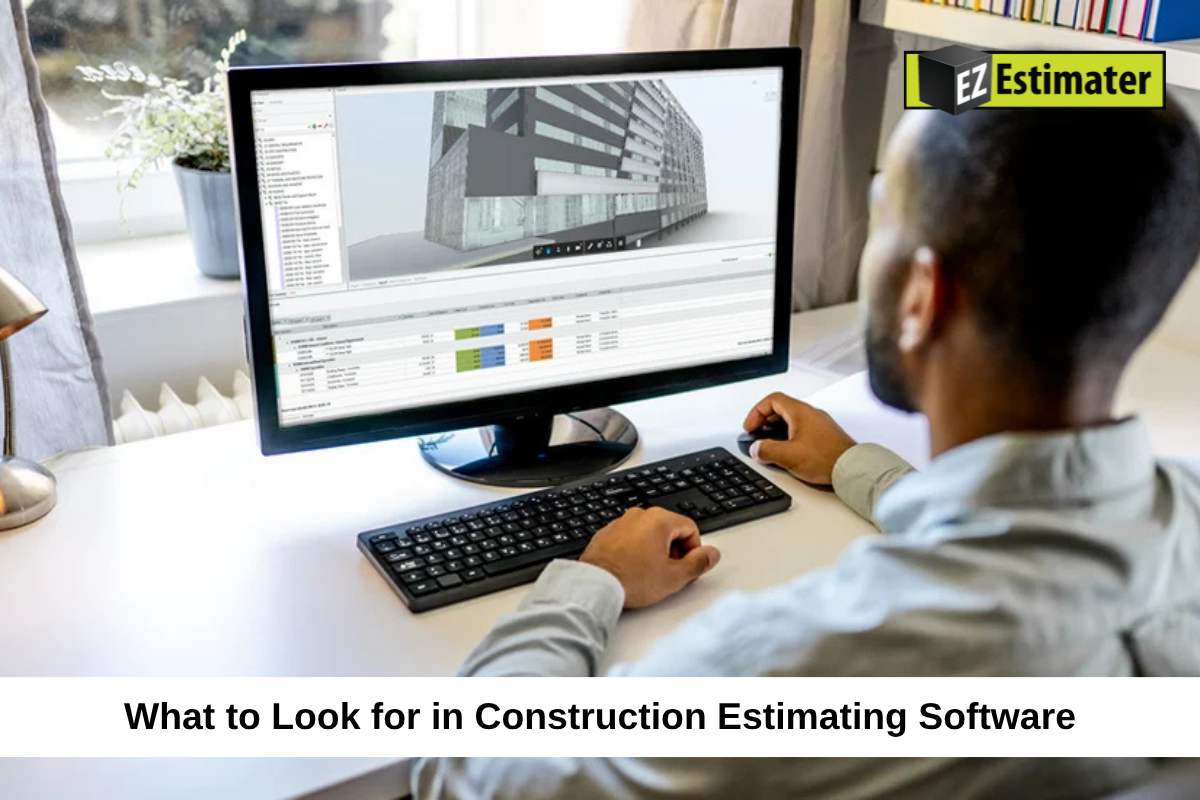
What to Look for in Construction Estimating Software

image

Choosing the right construction estimating software can make a big difference in how you price projects, prepare bids, and manage costs. The right tool can help you save time, reduce manual work, and create estimates that reflect the actual needs of each job. However, not every estimating program offers the same features. Some focus mainly on measuring quantities from construction plans, while others help calculate labor and material costs, prepare proposals, track expenses, and manage the full estimating process.

Buying software just because it has a long list of features can lead to wasted money and unnecessary work. You need a solution that fits your projects, your team, and the way your business prepares estimates. In this guide, we’ll explain the most important features to look for in construction estimating software, how to compare different options, and what to check before choosing a program for your business.

What Is Construction Estimating Software?

Construction estimating software is a digital tool that helps contractors calculate how much a construction project may cost. It brings important pricing details into one place, making it easier to prepare estimates and send bids to clients.

Depending on the program, it may help you:

  • Measure material quantities from construction plans.
  • Calculate labor hours and wages.
  • Add equipment and subcontractor expenses.
  • Check material prices.
  • Apply overhead and profit.
  • Prepare professional estimates and proposals.
  • Track project expenses.
  • Store past estimates for future use.

Some programs only handle estimating, while others include takeoff, job costing, and project management features.

For example, a contractor preparing a flooring estimate may need to measure the floor area, calculate material quantities, include labor costs, add waste, and prepare a final price. Estimating software can bring these tasks together and make the process easier to manage.

Understand Your Estimating Needs Before Choosing Software

Before comparing programs, take time to understand what your business actually needs. A small contractor preparing a few estimates each week may not need the same features as a large company handling several commercial projects at once.

Identify Your Main Estimating Problems

Start by looking at the tasks that take the most time or cause the most mistakes.

Ask yourself:

  • Do you spend too much time measuring construction plans?
  • Is it difficult to keep material prices updated?
  • Do you often forget labor or other project expenses?
  • Are you still preparing estimates manually?
  • Do you struggle to organize several bids at once?
  • Is it difficult to track actual costs after winning a job?

Write down the problems you want the software to solve. This will help you focus on useful features instead of paying for tools your business may never use.

Consider Your Trade and Project Size

Different construction businesses have different estimating needs.

For example, an electrical contractor may need detailed labor calculations, material lists, and pricing for electrical components. A roofing contractor may need area measurements, material quantities, and waste calculations. A General Contractor may need to combine costs from several trades, subcontractors, and suppliers.

Choose software that supports the type of work you complete most often. Also consider whether it can handle larger or more complex projects as your business grows.

Look for Accurate Digital Takeoff Features

Quantity takeoff is one of the most important parts of construction estimating. It involves measuring and counting the materials and work needed from project drawings. Software with good takeoff features can help reduce manual measurements and make estimates easier to prepare.

Check Which Plan Formats the Software Supports

Make sure the program works with the types of project documents you receive.

These may include:

  • PDF construction drawings
  • Digital blueprints
  • CAD drawings
  • Building information modeling (BIM) files, where supported

Some programs only work with certain file types. If you regularly receive drawings in different formats, check compatibility before buying.

Review the Available Measurement Tools

A useful takeoff feature should support the measurements your trade needs.

Common measurement options include:

Measurement TypeCommon Construction Uses
AreaFlooring, roofing, painting, and wall surfaces
LengthPipes, wiring, trim, and fencing
CountDoors, windows, fixtures, and other items
VolumeConcrete, excavation, and earthwork
PerimeterRoom edges, borders, and other measured areas

Check whether the software allows you to save measurements, organize them by trade, and connect quantities to estimate items.

Check How It Handles Drawing Revisions

Construction plans can change during the bidding process. A new drawing may include different measurements, materials, or project details.

Look for features that help compare drawing versions and identify changes. This can help prevent your team from preparing a bid using old plans.

It is also useful to have a record of earlier measurements and estimate changes. This makes it easier to review what changed and why.

Check Material and Labor Cost Features

Accurate measurements are only one part of a good estimate. You also need reliable prices for the materials and labor required to complete the work.

Look for an Editable Cost Database

A cost database stores information about common construction expenses, such as materials, labor, and equipment.

Some estimating programs include built-in cost information, while others allow you to create your own database.

Look for software that lets you:

  • Add your own material prices.
  • Update supplier costs.
  • Save labor rates.
  • Store equipment expenses.
  • Create custom cost items.
  • Reuse saved pricing information.

Your own business costs may be different from general market averages. The ability to edit prices is important because it helps you prepare estimates based on what you actually pay.

Check Whether Material Prices Can Be Updated

Material prices can change because of supplier updates, demand, delivery costs, and market conditions.

Using old prices can make an estimate too high or too low. Look for software that makes it easy to update cost information and record when prices were last checked.

If the program offers supplier pricing connections, check which suppliers and products are supported. Do not assume every material price updates automatically.

Review Labor Cost Calculations

Labor costs depend on more than the hourly wage. They may also include payroll taxes, insurance, benefits, overtime, and other employment expenses.

The software should allow you to enter labor rates and estimate the hours needed for different activities.

For example, if four workers complete a task in six hours at an average rate of $28 per hour, the basic labor cost is:

4 × 6 × $28 = $672

A good estimating tool should make calculations like this easy to prepare and update.

Make Sure It Includes Useful Estimating Tools

The right software should help you prepare complete estimates without relying on too many separate spreadsheets or manual calculations.

Look for Reusable Templates and Assemblies

Templates allow you to save common estimate layouts and use them again for similar projects.

Assemblies group several cost items into one reusable task. For example, a wall assembly may include framing materials, labor, fasteners, and other related expenses.

These features can save time when you regularly estimate similar work. They also help keep pricing more consistent across different projects.

Check Markup and Profit Calculations

Your estimating software should allow you to add overhead, markup, contingency, and profit based on your business needs.

Make sure you understand how the program calculates these amounts. Markup and profit margin are not the same, so the software should make the pricing method clear.

You should also be able to review the final selling price and see how the main cost items contribute to it.

Look for Allowances and Alternate Pricing

Some projects have items that are not fully decided when the estimate is prepared. A client may still be choosing materials, finishes, or equipment.

Allowances can help account for these uncertain costs. Alternate pricing can also help contractors present different options to clients.

Check whether the software lets you add these items and explain them clearly in the final proposal.

Choose Software That Creates Professional Estimates

Your estimate should be easy for clients to read and understand. A clear proposal helps explain the price, the work included, and any important conditions.

Check Estimate and Proposal Templates

Look for programs that offer editable estimate templates. You should be able to add your business name, contact details, project information, and pricing breakdown.

A professional estimate may include:

  • Client and project details
  • Scope of work
  • Material and labor costs
  • Equipment and subcontractor expenses
  • Additional project charges
  • Taxes and profit
  • Payment terms
  • Exclusions and allowances
  • Total project price

The software should make it easy to create a clean document without spending too much time on formatting.

Review PDF and Digital Sharing Options

Check whether you can download estimates as PDFs or share them digitally.

Some programs also allow clients to review and approve estimates online. Depending on the software, digital signatures may be available.

These features can make it easier to send proposals and keep a record of client decisions.

Check Job Costing and Expense Tracking Features

Preparing an estimate is not the end of the process. Once you win a project, you need to compare the estimated costs with the money actually spent.

This is where job costing and expense tracking become useful.

Compare Estimated Costs With Actual Expenses

Look for software that helps you track spending on materials, labor, equipment, and subcontractors.

For example:

Cost CategoryEstimated CostActual Cost
Materials$8,000$8,500
Labor$5,000$4,800
Equipment$1,500$1,700
Total$14,500$15,000

In this example, actual expenses are $500 higher than the estimate.

Tracking these differences helps you understand where costs are increasing and what may need to change on future projects.

Keep Expense Records Organized

A useful system should make it easy to record project expenses and review them later.

Look for options to organize receipts, invoices, purchase costs, and other job expenses. This can help you understand how much each project is costing your business.

Use Past Job Data for Future Estimates

Completed projects provide useful information for future pricing.

If you save previous estimates and actual costs, you can review how much labor and material different jobs required.

This information can help you improve future estimates and avoid repeating earlier mistakes.

Consider AI Features and Automation

Some construction estimating programs now offer AI-assisted features. These tools can help with certain estimating tasks, but it is important to understand what they actually do.

Check AI Takeoff Capabilities

Some programs use AI to help identify items, count repeated symbols, or measure areas from construction plans.

These features may reduce manual work, especially when dealing with large drawings. However, AI results should always be reviewed before using them in a final estimate.

Incorrect measurements or missed details can still affect project costs.

Look for Time-Saving Automation

Automation can help with repeated tasks such as applying saved prices, calculating totals, filling estimate templates, and organizing cost items.

For example, if you prepare similar estimates regularly, reusable templates and saved assemblies can reduce the amount of information you need to enter each time.

Understand the Limits of AI

Do not choose software simply because it advertises AI features.

Ask what tasks the AI can complete, how you can check its results, and whether you can edit the information it produces.

The best use of automation is to support the estimator’s work, not replace careful project review and construction knowledge.

Check Ease of Use and Training Support

Even software with many useful features can become a problem if your team cannot learn how to use it.

Before choosing a program, check how easy it is to understand and whether the provider offers proper support.

Look for a Simple Layout

The main tools should be easy to find. You should not have to move through several confusing screens just to create a basic estimate.

Check how easily you can add project details, enter quantities, update prices, and prepare a proposal.

If possible, ask the people who will use the software to test it before making a decision.

Check Training Resources

Some providers offer video tutorials, help guides, online lessons, or live training.

These resources can help new users understand the program and learn how to use its main features.

If your team has little experience with estimating software, training support should be an important part of your decision.

Review Customer Support Options

Technical problems can happen at any time, including when a bid deadline is close.

Check whether the provider offers support through phone, email, live chat, or other available channels.

Also review support hours and response times. A program with helpful support can make it easier to solve problems and keep your estimating work moving.

Check Mobile Access and Cloud Storage

Contractors do not always work from an office. You may need to review project information, check an estimate, or share documents while away from your desk.

Check Mobile Compatibility

Look for software that works on the devices your team uses.

Depending on the program, mobile access may allow you to:

  • View project details.
  • Review estimates.
  • Check measurements.
  • Access saved documents.
  • Update project information.
  • Share files with team members.

Check which features are actually available on mobile. Some programs offer a mobile app but limit certain estimating tasks to the desktop version.

Understand Cloud and Desktop Options

Cloud-based software stores information online, allowing approved users to access it from different locations. Desktop software is installed on a computer and may offer more control over local files or offline work.

Neither option is automatically better for every contractor.

Think about your internet access, team size, office setup, and need for remote work. Also check how the program handles backups and access when an internet connection is unavailable.

Review Software Integrations and Data Security

Estimating software may need to work with other tools your business already uses. Good connections can reduce repeated data entry and make project information easier to manage.

Check Accounting Integrations

If you use accounting software, check whether the estimating program can share relevant information with it.

This may include customer details, approved estimates, invoices, and project costs.

Confirm which accounting programs are supported and whether the connection is automatic or requires manual file exports.

Review Project Management Connections

Some contractors use separate tools for scheduling, project documents, communication, and job tracking.

Check whether your estimating software can transfer approved estimate information into those systems.

A connected process can reduce the need to enter the same project details several times.

Understand Data Protection and Access Controls

Your estimates may contain customer details, pricing information, supplier costs, and other business records.

Before choosing a program, review how the provider protects stored information.

Look for features such as:

  • User accounts and permissions
  • Secure data connections
  • Regular data backups
  • Access controls for team members
  • Data export options
  • Clear account and data policies

Ask what happens to your information if you stop using the software. Make sure you can keep or export important business records when needed.

Compare Pricing and the Total Cost of Ownership

The advertised subscription price does not always show the full cost of using estimating software.

A program with a low starting price may charge extra for users, advanced features, training, or integrations.

Understand the Pricing Plan

Check how the provider charges for its software.

Common pricing models include:

  • Monthly subscriptions
  • Annual subscriptions
  • Per-user plans
  • Feature-based plans
  • One-time license fees

Make sure you understand what is included before signing up.

Check for Additional Fees

Ask whether you will need to pay extra for:

  • Additional team members
  • Advanced takeoff tools
  • AI features
  • Cost databases
  • Training and setup
  • Customer support
  • Data storage
  • Integrations

Calculate the likely yearly cost rather than comparing only the monthly price.

Consider the Time You Can Save

Price is important, but it should not be the only factor. A program that costs more may still be a better choice if it saves several hours each week and reduces repeated work. Compare the software cost with the time it may save and the value it brings to your estimating process.

Test the Software Before Making a Final Decision

Reading feature lists and watching product demonstrations can help, but they do not always show how a program will work with your actual projects.

Testing the software is one of the best ways to check whether it fits your business.

Use a Real Construction Project

If a free trial or demo is available, use one of your completed or current projects to test the main features.

Try to:

  1. Upload a project plan.
  2. Measure quantities.
  3. Add material and labor costs.
  4. Include equipment and other expenses.
  5. Apply your pricing and profit settings.
  6. Create an estimate.
  7. Review the final proposal.

This gives you a better idea of how the program handles your normal work.

Involve Your Team in Testing

Ask estimators, project managers, and office staff to try the software if they will use it regularly.

They may notice problems that are not obvious during a short demonstration.

Check whether everyone can complete their main tasks without too much confusion.

Compare the Results With Your Current Process

Prepare the same estimate using your current method and the new software.

Compare the time required, calculations, final price, and ease of reviewing the information.

Also check whether the software makes it easier to update estimates when project details change.

Common Mistakes to Avoid When Choosing Estimating Software

Choosing the wrong program can waste money and make your daily work more difficult. Keep these common mistakes in mind before making a decision.

  1. Choosing based only on price: A cheap program may not include the features your business needs.
  2. Ignoring your trade requirements: Software designed for one type of construction work may not suit another.
  3. Paying for unused features: A long feature list does not mean the program is right for your business.
  4. Overlooking training: Your team may struggle if the provider offers little help or guidance.
  5. Ignoring integrations: A program that cannot connect with your existing tools may create more manual work.
  6. Not checking data export options: Make sure you can access important records if you leave the service.
  7. Skipping the trial: A demonstration may not show how the software handles your real projects.
  8. Trusting automated results without review: Always check measurements, calculations, and AI-generated information before submitting a bid.

The goal is to choose software that makes estimating easier, not a program that adds more steps to your work.

Final Thoughts on Choosing Construction Estimating Software

The right construction estimating software should fit the way your business prepares bids and manages project costs. It should help you measure quantities, calculate expenses, prepare clear proposals, and keep important information organized. Start by identifying the problems you want to solve. Then compare the features that matter most, including digital takeoffs, cost databases, labor calculations, templates, job costing, automation, mobile access, and integrations.

Do not rush your decision or choose a program simply because it has the most features. Test it with a real project, check the total cost, and make sure your team can use it comfortably. A good estimating system should save time, support accurate pricing, and help you make better decisions before work begins. When the software fits your business, it becomes a useful part of your everyday construction process.

Frequently Asked Questions

1. What is the most important feature in construction estimating software?

Digital takeoff, accurate cost calculations, editable cost databases, and clear estimate creation are among the most important features. The best choice depends on your trade and the type of projects you handle.

2. Is construction estimating software worth the cost?

It can be worth the cost if it saves time, reduces manual work, and helps prepare more complete estimates. Compare the subscription price with the time and effort it can save your business.

3. Does construction estimating software include quantity takeoff tools?

Some programs include built-in takeoff tools for measuring areas, lengths, counts, and volumes from construction plans. Others focus on pricing and require a separate takeoff tool.

4. Can construction estimating software calculate labor and material costs?

Yes. Many programs allow users to enter material prices, labor rates, equipment expenses, and other project costs. Some also include cost databases and reusable templates.

5. Is AI useful in construction estimating software?

AI can help with tasks such as measuring plans, counting repeated items, and organizing information. However, estimators should review automated results to make sure the quantities and calculations are correct.

6. Should small contractors use construction estimating software?

Yes. Small contractors can benefit from software that helps prepare estimates, organize costs, and create professional proposals. They should choose a simple program with features that match their current needs.

7. How can I test construction estimating software before buying it?

Use a free trial or request a demonstration if available. Prepare an estimate using a real project, test the main features, involve your team, and compare the results with your current estimating process.

8. How much does construction estimating software cost?

Pricing varies by provider, features, number of users, and subscription type. Some programs offer basic plans, while advanced systems may charge more for takeoffs, cost databases, integrations, and training. Check the full cost before choosing a plan.

image

What to Look for in Construction Estimating Software

Construction Estimating Software

Choosing the right construction estimating software can make a big difference in how you price projects, prepare bids, and manage costs. The right tool can help you save time, reduce manual work, and create estimates that reflect the actual needs of each job. However, not every estimating program offers the same features. Some focus mainly on measuring quantities from construction plans, while others help calculate labor and material costs, prepare proposals, track expenses, and manage the full estimating process.

Buying software just because it has a long list of features can lead to wasted money and unnecessary work. You need a solution that fits your projects, your team, and the way your business prepares estimates. In this guide, we’ll explain the most important features to look for in construction estimating software, how to compare different options, and what to check before choosing a program for your business.

What Is Construction Estimating Software?

Construction estimating software is a digital tool that helps contractors calculate how much a construction project may cost. It brings important pricing details into one place, making it easier to prepare estimates and send bids to clients.

Depending on the program, it may help you:

  • Measure material quantities from construction plans.
  • Calculate labor hours and wages.
  • Add equipment and subcontractor expenses.
  • Check material prices.
  • Apply overhead and profit.
  • Prepare professional estimates and proposals.
  • Track project expenses.
  • Store past estimates for future use.

Some programs only handle estimating, while others include takeoff, job costing, and project management features.

For example, a contractor preparing a flooring estimate may need to measure the floor area, calculate material quantities, include labor costs, add waste, and prepare a final price. Estimating software can bring these tasks together and make the process easier to manage.

Understand Your Estimating Needs Before Choosing Software

Before comparing programs, take time to understand what your business actually needs. A small contractor preparing a few estimates each week may not need the same features as a large company handling several commercial projects at once.

Identify Your Main Estimating Problems

Start by looking at the tasks that take the most time or cause the most mistakes.

Ask yourself:

  • Do you spend too much time measuring construction plans?
  • Is it difficult to keep material prices updated?
  • Do you often forget labor or other project expenses?
  • Are you still preparing estimates manually?
  • Do you struggle to organize several bids at once?
  • Is it difficult to track actual costs after winning a job?

Write down the problems you want the software to solve. This will help you focus on useful features instead of paying for tools your business may never use.

Consider Your Trade and Project Size

Different construction businesses have different estimating needs.

For example, an electrical contractor may need detailed labor calculations, material lists, and pricing for electrical components. A roofing contractor may need area measurements, material quantities, and waste calculations. A General Contractor may need to combine costs from several trades, subcontractors, and suppliers.

Choose software that supports the type of work you complete most often. Also consider whether it can handle larger or more complex projects as your business grows.

Look for Accurate Digital Takeoff Features

Quantity takeoff is one of the most important parts of construction estimating. It involves measuring and counting the materials and work needed from project drawings. Software with good takeoff features can help reduce manual measurements and make estimates easier to prepare.

Check Which Plan Formats the Software Supports

Make sure the program works with the types of project documents you receive.

These may include:

  • PDF construction drawings
  • Digital blueprints
  • CAD drawings
  • Building information modeling (BIM) files, where supported

Some programs only work with certain file types. If you regularly receive drawings in different formats, check compatibility before buying.

Review the Available Measurement Tools

A useful takeoff feature should support the measurements your trade needs.

Common measurement options include:

Measurement TypeCommon Construction Uses
AreaFlooring, roofing, painting, and wall surfaces
LengthPipes, wiring, trim, and fencing
CountDoors, windows, fixtures, and other items
VolumeConcrete, excavation, and earthwork
PerimeterRoom edges, borders, and other measured areas

Check whether the software allows you to save measurements, organize them by trade, and connect quantities to estimate items.

Check How It Handles Drawing Revisions

Construction plans can change during the bidding process. A new drawing may include different measurements, materials, or project details.

Look for features that help compare drawing versions and identify changes. This can help prevent your team from preparing a bid using old plans.

It is also useful to have a record of earlier measurements and estimate changes. This makes it easier to review what changed and why.

Check Material and Labor Cost Features

Accurate measurements are only one part of a good estimate. You also need reliable prices for the materials and labor required to complete the work.

Look for an Editable Cost Database

A cost database stores information about common construction expenses, such as materials, labor, and equipment.

Some estimating programs include built-in cost information, while others allow you to create your own database.

Look for software that lets you:

  • Add your own material prices.
  • Update supplier costs.
  • Save labor rates.
  • Store equipment expenses.
  • Create custom cost items.
  • Reuse saved pricing information.

Your own business costs may be different from general market averages. The ability to edit prices is important because it helps you prepare estimates based on what you actually pay.

Check Whether Material Prices Can Be Updated

Material prices can change because of supplier updates, demand, delivery costs, and market conditions.

Using old prices can make an estimate too high or too low. Look for software that makes it easy to update cost information and record when prices were last checked.

If the program offers supplier pricing connections, check which suppliers and products are supported. Do not assume every material price updates automatically.

Review Labor Cost Calculations

Labor costs depend on more than the hourly wage. They may also include payroll taxes, insurance, benefits, overtime, and other employment expenses.

The software should allow you to enter labor rates and estimate the hours needed for different activities.

For example, if four workers complete a task in six hours at an average rate of $28 per hour, the basic labor cost is:

4 × 6 × $28 = $672

A good estimating tool should make calculations like this easy to prepare and update.

Make Sure It Includes Useful Estimating Tools

The right software should help you prepare complete estimates without relying on too many separate spreadsheets or manual calculations.

Look for Reusable Templates and Assemblies

Templates allow you to save common estimate layouts and use them again for similar projects.

Assemblies group several cost items into one reusable task. For example, a wall assembly may include framing materials, labor, fasteners, and other related expenses.

These features can save time when you regularly estimate similar work. They also help keep pricing more consistent across different projects.

Check Markup and Profit Calculations

Your estimating software should allow you to add overhead, markup, contingency, and profit based on your business needs.

Make sure you understand how the program calculates these amounts. Markup and profit margin are not the same, so the software should make the pricing method clear.

You should also be able to review the final selling price and see how the main cost items contribute to it.

Look for Allowances and Alternate Pricing

Some projects have items that are not fully decided when the estimate is prepared. A client may still be choosing materials, finishes, or equipment.

Allowances can help account for these uncertain costs. Alternate pricing can also help contractors present different options to clients.

Check whether the software lets you add these items and explain them clearly in the final proposal.

Choose Software That Creates Professional Estimates

Your estimate should be easy for clients to read and understand. A clear proposal helps explain the price, the work included, and any important conditions.

Check Estimate and Proposal Templates

Look for programs that offer editable estimate templates. You should be able to add your business name, contact details, project information, and pricing breakdown.

A professional estimate may include:

  • Client and project details
  • Scope of work
  • Material and labor costs
  • Equipment and subcontractor expenses
  • Additional project charges
  • Taxes and profit
  • Payment terms
  • Exclusions and allowances
  • Total project price

The software should make it easy to create a clean document without spending too much time on formatting.

Review PDF and Digital Sharing Options

Check whether you can download estimates as PDFs or share them digitally.

Some programs also allow clients to review and approve estimates online. Depending on the software, digital signatures may be available.

These features can make it easier to send proposals and keep a record of client decisions.

Check Job Costing and Expense Tracking Features

Preparing an estimate is not the end of the process. Once you win a project, you need to compare the estimated costs with the money actually spent.

This is where job costing and expense tracking become useful.

Compare Estimated Costs With Actual Expenses

Look for software that helps you track spending on materials, labor, equipment, and subcontractors.

For example:

Cost CategoryEstimated CostActual Cost
Materials$8,000$8,500
Labor$5,000$4,800
Equipment$1,500$1,700
Total$14,500$15,000

In this example, actual expenses are $500 higher than the estimate.

Tracking these differences helps you understand where costs are increasing and what may need to change on future projects.

Keep Expense Records Organized

A useful system should make it easy to record project expenses and review them later.

Look for options to organize receipts, invoices, purchase costs, and other job expenses. This can help you understand how much each project is costing your business.

Use Past Job Data for Future Estimates

Completed projects provide useful information for future pricing.

If you save previous estimates and actual costs, you can review how much labor and material different jobs required.

This information can help you improve future estimates and avoid repeating earlier mistakes.

Consider AI Features and Automation

Some construction estimating programs now offer AI-assisted features. These tools can help with certain estimating tasks, but it is important to understand what they actually do.

Check AI Takeoff Capabilities

Some programs use AI to help identify items, count repeated symbols, or measure areas from construction plans.

These features may reduce manual work, especially when dealing with large drawings. However, AI results should always be reviewed before using them in a final estimate.

Incorrect measurements or missed details can still affect project costs.

Look for Time-Saving Automation

Automation can help with repeated tasks such as applying saved prices, calculating totals, filling estimate templates, and organizing cost items.

For example, if you prepare similar estimates regularly, reusable templates and saved assemblies can reduce the amount of information you need to enter each time.

Understand the Limits of AI

Do not choose software simply because it advertises AI features.

Ask what tasks the AI can complete, how you can check its results, and whether you can edit the information it produces.

The best use of automation is to support the estimator’s work, not replace careful project review and construction knowledge.

Check Ease of Use and Training Support

Even software with many useful features can become a problem if your team cannot learn how to use it.

Before choosing a program, check how easy it is to understand and whether the provider offers proper support.

Look for a Simple Layout

The main tools should be easy to find. You should not have to move through several confusing screens just to create a basic estimate.

Check how easily you can add project details, enter quantities, update prices, and prepare a proposal.

If possible, ask the people who will use the software to test it before making a decision.

Check Training Resources

Some providers offer video tutorials, help guides, online lessons, or live training.

These resources can help new users understand the program and learn how to use its main features.

If your team has little experience with estimating software, training support should be an important part of your decision.

Review Customer Support Options

Technical problems can happen at any time, including when a bid deadline is close.

Check whether the provider offers support through phone, email, live chat, or other available channels.

Also review support hours and response times. A program with helpful support can make it easier to solve problems and keep your estimating work moving.

Check Mobile Access and Cloud Storage

Contractors do not always work from an office. You may need to review project information, check an estimate, or share documents while away from your desk.

Check Mobile Compatibility

Look for software that works on the devices your team uses.

Depending on the program, mobile access may allow you to:

  • View project details.
  • Review estimates.
  • Check measurements.
  • Access saved documents.
  • Update project information.
  • Share files with team members.

Check which features are actually available on mobile. Some programs offer a mobile app but limit certain estimating tasks to the desktop version.

Understand Cloud and Desktop Options

Cloud-based software stores information online, allowing approved users to access it from different locations. Desktop software is installed on a computer and may offer more control over local files or offline work.

Neither option is automatically better for every contractor.

Think about your internet access, team size, office setup, and need for remote work. Also check how the program handles backups and access when an internet connection is unavailable.

Review Software Integrations and Data Security

Estimating software may need to work with other tools your business already uses. Good connections can reduce repeated data entry and make project information easier to manage.

Check Accounting Integrations

If you use accounting software, check whether the estimating program can share relevant information with it.

This may include customer details, approved estimates, invoices, and project costs.

Confirm which accounting programs are supported and whether the connection is automatic or requires manual file exports.

Review Project Management Connections

Some contractors use separate tools for scheduling, project documents, communication, and job tracking.

Check whether your estimating software can transfer approved estimate information into those systems.

A connected process can reduce the need to enter the same project details several times.

Understand Data Protection and Access Controls

Your estimates may contain customer details, pricing information, supplier costs, and other business records.

Before choosing a program, review how the provider protects stored information.

Look for features such as:

  • User accounts and permissions
  • Secure data connections
  • Regular data backups
  • Access controls for team members
  • Data export options
  • Clear account and data policies

Ask what happens to your information if you stop using the software. Make sure you can keep or export important business records when needed.

Compare Pricing and the Total Cost of Ownership

The advertised subscription price does not always show the full cost of using estimating software.

A program with a low starting price may charge extra for users, advanced features, training, or integrations.

Understand the Pricing Plan

Check how the provider charges for its software.

Common pricing models include:

  • Monthly subscriptions
  • Annual subscriptions
  • Per-user plans
  • Feature-based plans
  • One-time license fees

Make sure you understand what is included before signing up.

Check for Additional Fees

Ask whether you will need to pay extra for:

  • Additional team members
  • Advanced takeoff tools
  • AI features
  • Cost databases
  • Training and setup
  • Customer support
  • Data storage
  • Integrations

Calculate the likely yearly cost rather than comparing only the monthly price.

Consider the Time You Can Save

Price is important, but it should not be the only factor. A program that costs more may still be a better choice if it saves several hours each week and reduces repeated work. Compare the software cost with the time it may save and the value it brings to your estimating process.

Test the Software Before Making a Final Decision

Reading feature lists and watching product demonstrations can help, but they do not always show how a program will work with your actual projects.

Testing the software is one of the best ways to check whether it fits your business.

Use a Real Construction Project

If a free trial or demo is available, use one of your completed or current projects to test the main features.

Try to:

  1. Upload a project plan.
  2. Measure quantities.
  3. Add material and labor costs.
  4. Include equipment and other expenses.
  5. Apply your pricing and profit settings.
  6. Create an estimate.
  7. Review the final proposal.

This gives you a better idea of how the program handles your normal work.

Involve Your Team in Testing

Ask estimators, project managers, and office staff to try the software if they will use it regularly.

They may notice problems that are not obvious during a short demonstration.

Check whether everyone can complete their main tasks without too much confusion.

Compare the Results With Your Current Process

Prepare the same estimate using your current method and the new software.

Compare the time required, calculations, final price, and ease of reviewing the information.

Also check whether the software makes it easier to update estimates when project details change.

Common Mistakes to Avoid When Choosing Estimating Software

Choosing the wrong program can waste money and make your daily work more difficult. Keep these common mistakes in mind before making a decision.

  1. Choosing based only on price: A cheap program may not include the features your business needs.
  2. Ignoring your trade requirements: Software designed for one type of construction work may not suit another.
  3. Paying for unused features: A long feature list does not mean the program is right for your business.
  4. Overlooking training: Your team may struggle if the provider offers little help or guidance.
  5. Ignoring integrations: A program that cannot connect with your existing tools may create more manual work.
  6. Not checking data export options: Make sure you can access important records if you leave the service.
  7. Skipping the trial: A demonstration may not show how the software handles your real projects.
  8. Trusting automated results without review: Always check measurements, calculations, and AI-generated information before submitting a bid.

The goal is to choose software that makes estimating easier, not a program that adds more steps to your work.

Final Thoughts on Choosing Construction Estimating Software

The right construction estimating software should fit the way your business prepares bids and manages project costs. It should help you measure quantities, calculate expenses, prepare clear proposals, and keep important information organized. Start by identifying the problems you want to solve. Then compare the features that matter most, including digital takeoffs, cost databases, labor calculations, templates, job costing, automation, mobile access, and integrations.

Do not rush your decision or choose a program simply because it has the most features. Test it with a real project, check the total cost, and make sure your team can use it comfortably. A good estimating system should save time, support accurate pricing, and help you make better decisions before work begins. When the software fits your business, it becomes a useful part of your everyday construction process.

Frequently Asked Questions

1. What is the most important feature in construction estimating software?

Digital takeoff, accurate cost calculations, editable cost databases, and clear estimate creation are among the most important features. The best choice depends on your trade and the type of projects you handle.

2. Is construction estimating software worth the cost?

It can be worth the cost if it saves time, reduces manual work, and helps prepare more complete estimates. Compare the subscription price with the time and effort it can save your business.

3. Does construction estimating software include quantity takeoff tools?

Some programs include built-in takeoff tools for measuring areas, lengths, counts, and volumes from construction plans. Others focus on pricing and require a separate takeoff tool.

4. Can construction estimating software calculate labor and material costs?

Yes. Many programs allow users to enter material prices, labor rates, equipment expenses, and other project costs. Some also include cost databases and reusable templates.

5. Is AI useful in construction estimating software?

AI can help with tasks such as measuring plans, counting repeated items, and organizing information. However, estimators should review automated results to make sure the quantities and calculations are correct.

6. Should small contractors use construction estimating software?

Yes. Small contractors can benefit from software that helps prepare estimates, organize costs, and create professional proposals. They should choose a simple program with features that match their current needs.

7. How can I test construction estimating software before buying it?

Use a free trial or request a demonstration if available. Prepare an estimate using a real project, test the main features, involve your team, and compare the results with your current estimating process.

8. How much does construction estimating software cost?

Pricing varies by provider, features, number of users, and subscription type. Some programs offer basic plans, while advanced systems may charge more for takeoffs, cost databases, integrations, and training. Check the full cost before choosing a plan.